






From first choice to end of service

Every order has a story. Foods follows it through.

The guest chooses. Front of house receives. Kitchen and bar prepare. The manager sees what happened — one flow from table to management.

Maré de Cedro · fictional demo restaurant

YingYang Foods: símbolo da marca no centro de um prato
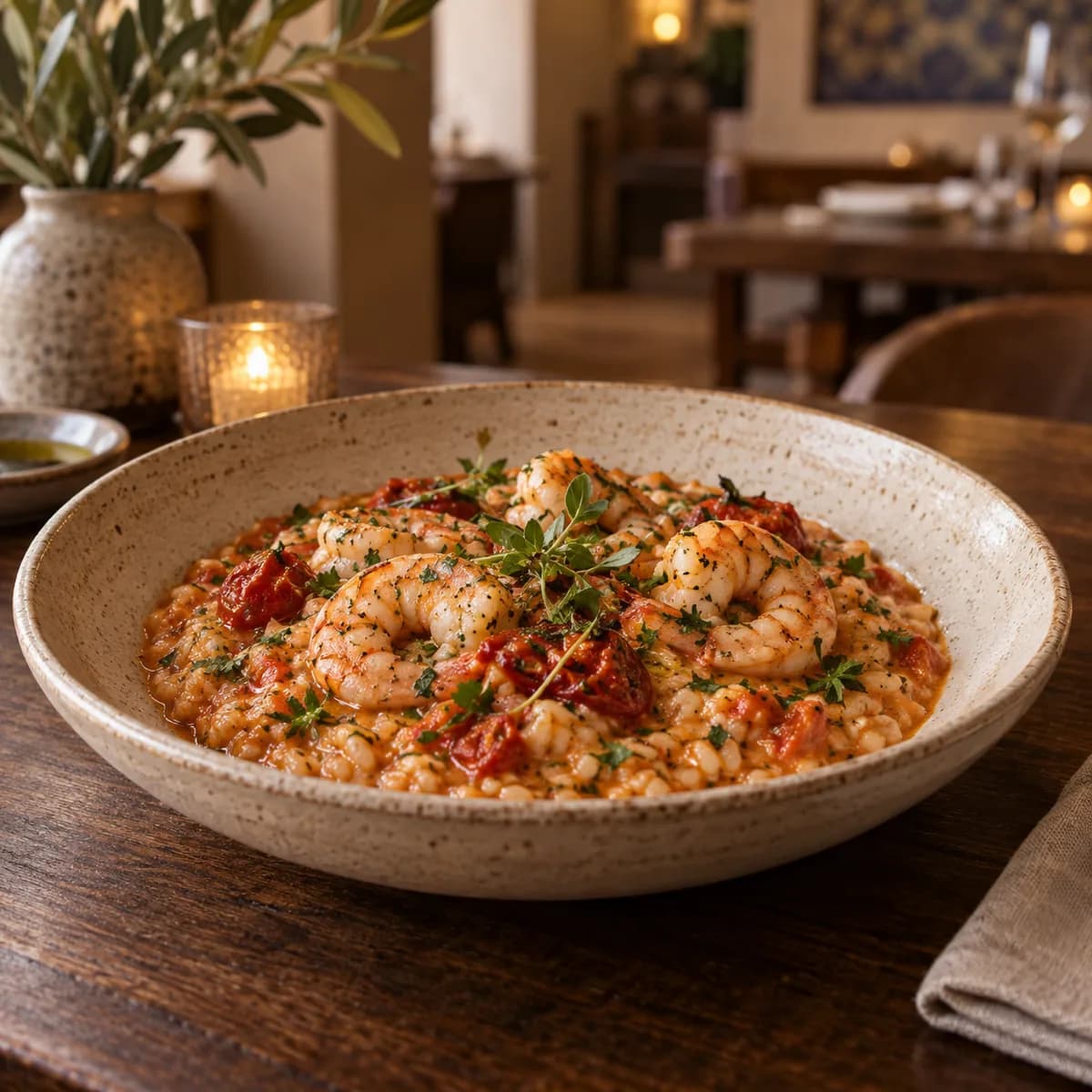
Arroz cremoso de camarão e tomate assado do restaurante demo
YingYang | Foods
YingYang | Foods

Public menu

Menu público real do Maré de Cedro com Polvo na brasa e preços

Original image · press Esc or select outside to close

Real Foods screen
One table, one team, one connected flow
01 — 08YingYang | Foods
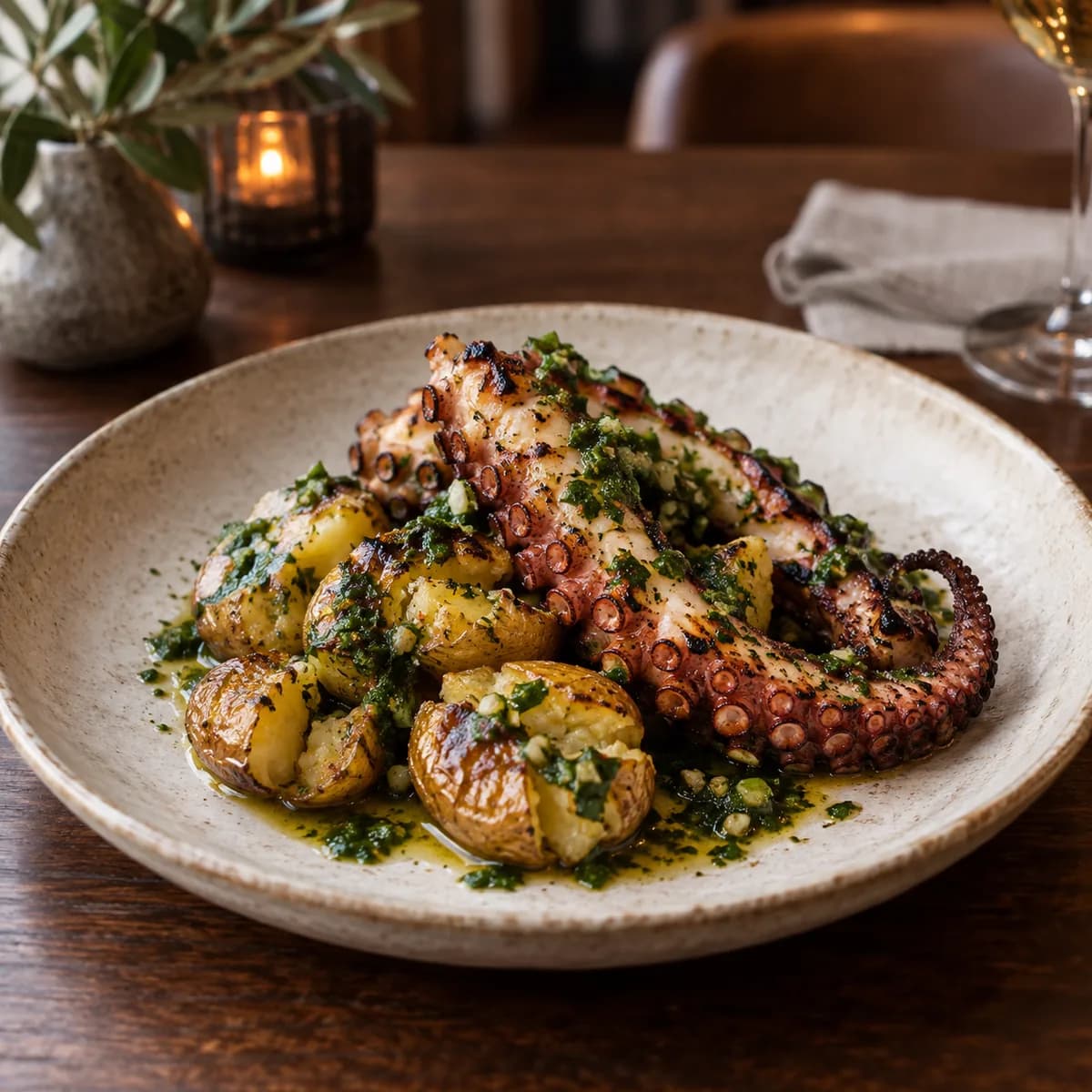
Polvo na brasa do menu fictício Maré de Cedro
Original photo from the demo menu

01 / The order starts

The dish invites. The menu responds.

A photo sparks interest; the digital menu shows the dish, price and ordering path. At the table, the QR code identifies the table before the choice reaches the team.

Grilled octopus · €21.50 at the demo restaurant
YingYang | Foods
YingYang | Foods

Public menu

Public menu — published menu categories, food photos, dish names and prices

Original image · press Esc or select outside to close

Real Foods screen · Public menu
YingYang | Foods
YingYang | Foods

Table 04 checkout

Table 04 checkout — Table 04 order summary with grilled octopus before submission

Original image · press Esc or select outside to close

Real Foods screen · Table 04 checkout

02 / The team takes over

From the table to service.

The waiter follows the table on a phone. POS brings orders together and keeps their origin visible to the team.

01Waiter order
YingYang | Foods
YingYang | Foods

Waiter order

Waiter order — Table 07 order with grilled chicken and rosemary lemonade

Original image · press Esc or select outside to close

Real Foods screen · Waiter order
02POS
YingYang | Foods
YingYang | Foods

POS

POS — POS queue with table and pickup orders, their origin and status

Original image · press Esc or select outside to close

Real Foods screen · POS

03 / Production follows

Every station knows what to prepare.

Dishes go to the kitchen; drinks go to the bar. Each station moves its work forward while the order keeps a shared status.

01Kitchen
YingYang | Foods
YingYang | Foods

Kitchen

Kitchen — tickets in to-do, preparing and ready states

Original image · press Esc or select outside to close

Real Foods screen · Kitchen
02Bar
YingYang | Foods
YingYang | Foods

Bar

Bar — bar station with rosemary lemonade ready

Original image · press Esc or select outside to close

Real Foods screen · Bar

04 / The manager sees it all

Service stays visible beyond the table.

Menu, team, tables, inventory and till give the manager context during a shift. Inventory depends on the selected plan.

YingYang | Foods
YingYang | Foods

Management

Management — management overview with the service's fictional orders

Original image · press Esc or select outside to close

Real Foods screen · Management
YingYang | Foods
YingYang | Foods

Low inventory: octopus and rosemary

Low inventory: octopus and rosemary — fresh octopus below minimum and fresh rosemary out of stock

Original image · press Esc or select outside to close

Real Foods screen · Low inventory: octopus and rosemary
YingYang | Foods
YingYang | Foods

Internal replenishment draft

Internal replenishment draft — internal replenishment draft without a supplier or submission

Original image · press Esc or select outside to close

Real Foods screen · Internal replenishment draft

05 / Reports

Your restaurant, in the palm of your hand.

Version 3.4.0 brings product sales and customer loyalty into the management panel. Filter by period, channel and customer segment to understand the pace of service and spot opportunities.

01

Sales by product

See performance, discounts, average price and each product’s share in the monthly report.

02

Returning customers

Follow identified purchases, repeat visits, busiest days and customers who may have lapsed.

03

Share the picture

Export the report as a PDF to discuss the results with your team.

YingYang | Foods

Loyalty report in the management panel

Loyalty report in the management panel. Illustrative data. Report availability depends on the plan.

Original image · press Esc or select outside to close

Loyalty report in the management panelIllustrative data. Report availability depends on the plan.
YingYang | Foods

Indicators on a phone

Indicators on a phone. Illustrative data. Report availability depends on the plan.

Original image · press Esc or select outside to close

Indicators on a phoneIllustrative data. Report availability depends on the plan.

06 / One connected flow

Follow the same order.

Step through one consistent fictional operation. Every handoff shows who receives the information next.

01 / 05

Guest

The table chooses

Grilled octopus on the digital menu, ordered from the table.

The order reaches the team.

07 / Explore the product

See Foods from the inside.

Screenshots captured from the real product. Select a screen to inspect it in detail.

YingYang | Foods

Public menu

Public menu — published menu categories, food photos, dish names and prices. Maré de Cedro · fictional demo restaurant
Original image · press Esc or select outside to close

01 / Public menuReal Foods screen
YingYang | Foods

Table 04 checkout

Table 04 checkout — Table 04 order summary with grilled octopus before submission. Maré de Cedro · fictional demo restaurant
Original image · press Esc or select outside to close

01 / Table 04 checkoutReal Foods screen
YingYang | Foods

Waiter order

Waiter order — Table 07 order with grilled chicken and rosemary lemonade. Maré de Cedro · fictional demo restaurant

Original image · press Esc or select outside to close

02 / Waiter orderReal Foods screen
YingYang | Foods

POS

POS — POS queue with table and pickup orders, their origin and status. Maré de Cedro · fictional demo restaurant

Original image · press Esc or select outside to close

02 / POSReal Foods screen
YingYang | Foods

Kitchen

Kitchen — tickets in to-do, preparing and ready states. Maré de Cedro · fictional demo restaurant

Original image · press Esc or select outside to close

03 / KitchenReal Foods screen
YingYang | Foods

Bar

Bar — bar station with rosemary lemonade ready. Maré de Cedro · fictional demo restaurant

Original image · press Esc or select outside to close

03 / BarReal Foods screen
YingYang | Foods

Management

Management — management overview with the service's fictional orders. Maré de Cedro · fictional demo restaurant

Original image · press Esc or select outside to close

04 / ManagementReal Foods screen
YingYang | Foods

Tables in management

Tables in management — Tables 04 and 07 active in management. Maré de Cedro · fictional demo restaurant

Original image · press Esc or select outside to close

04 / Tables in managementReal Foods screen
See more screens and states
YingYang | Foods

Table 04 QR entry

Table 04 QR entry — entry through Table 04's individual QR code with the table identified. Maré de Cedro · fictional demo restaurant

Original image · press Esc or select outside to close

01 / Table 04 QR entryReal Foods screen
YingYang | Foods

Table 04 menu

Table 04 menu — categories and dishes shown to Table 04 before ordering. Maré de Cedro · fictional demo restaurant

Original image · press Esc or select outside to close

01 / Table 04 menuReal Foods screen
YingYang | Foods

Table 04 dish

Table 04 dish — grilled octopus detail with price and add option. Maré de Cedro · fictional demo restaurant

Original image · press Esc or select outside to close

01 / Table 04 dishReal Foods screen
YingYang | Foods

Table 04 order tracking

Table 04 order tracking — Table 04 order tracking with its operational status visible. Maré de Cedro · fictional demo restaurant

Original image · press Esc or select outside to close

01 / Table 04 order trackingReal Foods screen
YingYang | Foods

Pickup checkout

Pickup checkout — pickup order summary before submission. Maré de Cedro · fictional demo restaurant

Original image · press Esc or select outside to close

01 / Pickup checkoutReal Foods screen
YingYang | Foods

Pickup tracking

Pickup tracking — tracking for the fictional pickup order. Maré de Cedro · fictional demo restaurant

Original image · press Esc or select outside to close

01 / Pickup trackingReal Foods screen
YingYang | Foods

Waiter table view

Waiter table view — waiter's table view during service. Maré de Cedro · fictional demo restaurant

Original image · press Esc or select outside to close

02 / Waiter table viewReal Foods screen
YingYang | Foods

POS

POS — full POS view with table and pickup orders. Maré de Cedro · fictional demo restaurant

Original image · press Esc or select outside to close

02 / POSReal Foods screen
YingYang | Foods

Menu and products

Menu and products — management editor with nine published demo products. Maré de Cedro · fictional demo restaurant

Original image · press Esc or select outside to close

04 / Menu and productsReal Foods screen
YingYang | Foods

Opening hours

Opening hours — configured weekly opening hours for the demo restaurant. Maré de Cedro · fictional demo restaurant

Original image · press Esc or select outside to close

04 / Opening hoursReal Foods screen
YingYang | Foods

Low inventory: octopus and rosemary

Low inventory: octopus and rosemary — fresh octopus below minimum and fresh rosemary out of stock. Maré de Cedro · fictional demo restaurant

Original image · press Esc or select outside to close

04 / Low inventory: octopus and rosemaryReal Foods screen
YingYang | Foods

Internal replenishment draft

Internal replenishment draft — internal replenishment draft without a supplier or submission. Maré de Cedro · fictional demo restaurant

Original image · press Esc or select outside to close

04 / Internal replenishment draftReal Foods screen

08 / Decide

Find the plan for your operation.

Plans are monthly per location. Reports are available in eligible plans; the demo explains the flows and limits that apply to you.

Basic

The essentials for an organised operation.

$29/month
  • Orders, POS and operations
  • Online menu
  • Today overview
Request a demo

Pro

More control for growing restaurants.

$69/month
  • Everything in Basic
  • Inventory and purchasing
  • Reports
Request a demo

Unlimited

Full capacity for demanding operations.

$129/month
  • Everything in Pro
  • Unlimited users
  • Overview up to 30 days
Request a demo

Final pricing, taxes and commercial terms are confirmed in the proposal.

FAQ

Before you get started.

How is Foods configured?

The restaurant configures its profile, menu, team roles and chosen workflows before starting its own tests.

Which devices can run Foods?

Foods runs in a browser on compatible devices. Hardware suitability should be checked for each workstation.

How can the team learn the system?

Each role has a focused interface. The restaurant can test its workflows with the team before adopting them in day-to-day operations.

How are payments handled?

Funds go directly to the restaurant. Foods records payments and supports end-of-shift cash reconciliation.

Maré de Cedro · fictional demo restaurant

Want to see YingYang | Foods in your restaurant?

We will tailor the demo to your operation and walk through the complete service flow.

Request a demo